Visual Fastboot Partition Flashing Guide
Manage partition tables, backups, image writes, and erase tasks in a visual workflow with progress feedback.
ADB partition operations while Android is running
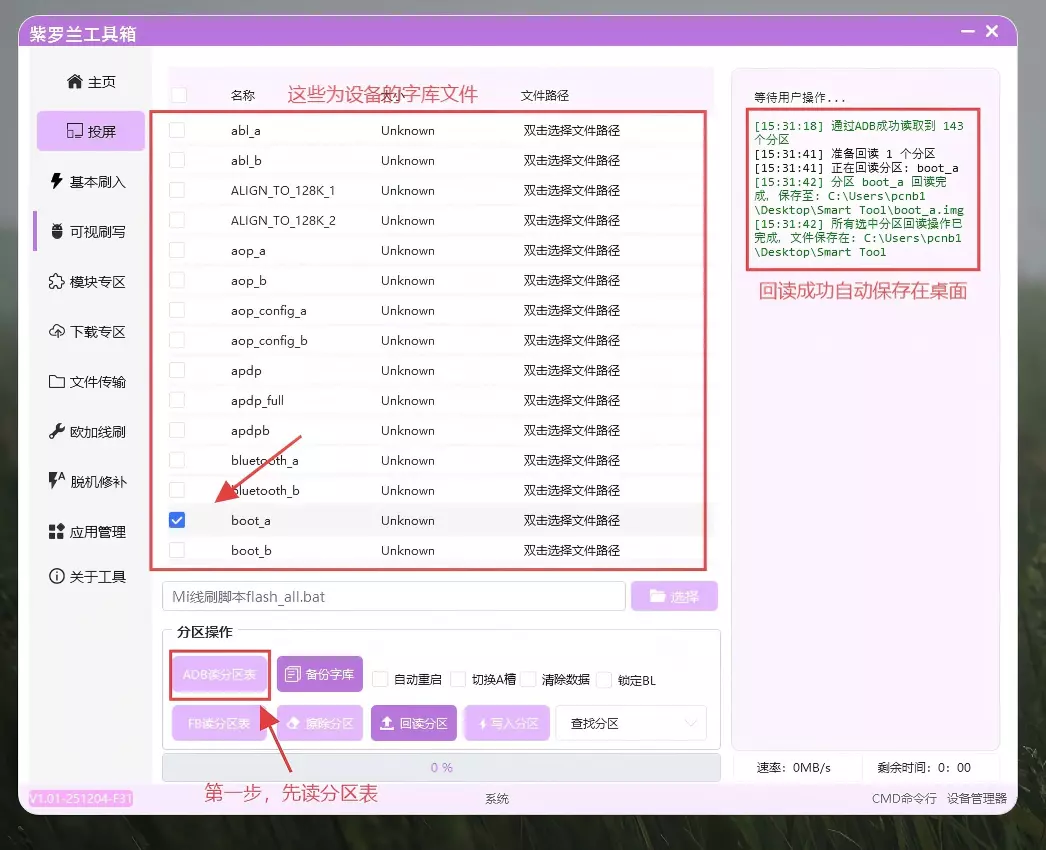
- Reading the partition table requires ROOT and ROOT access for
shell. - After loading the table, select partitions to back up. This function is not available in Fastboot mode.
- Storage backup creates partition images, primary and backup GPT files, and RawProgram XML. Ensure enough free disk space.
- Write partition applies the selected image after the device reboots.
- Erase partition clears the selected partition and is a high-risk operation.
Fastboot partition operations
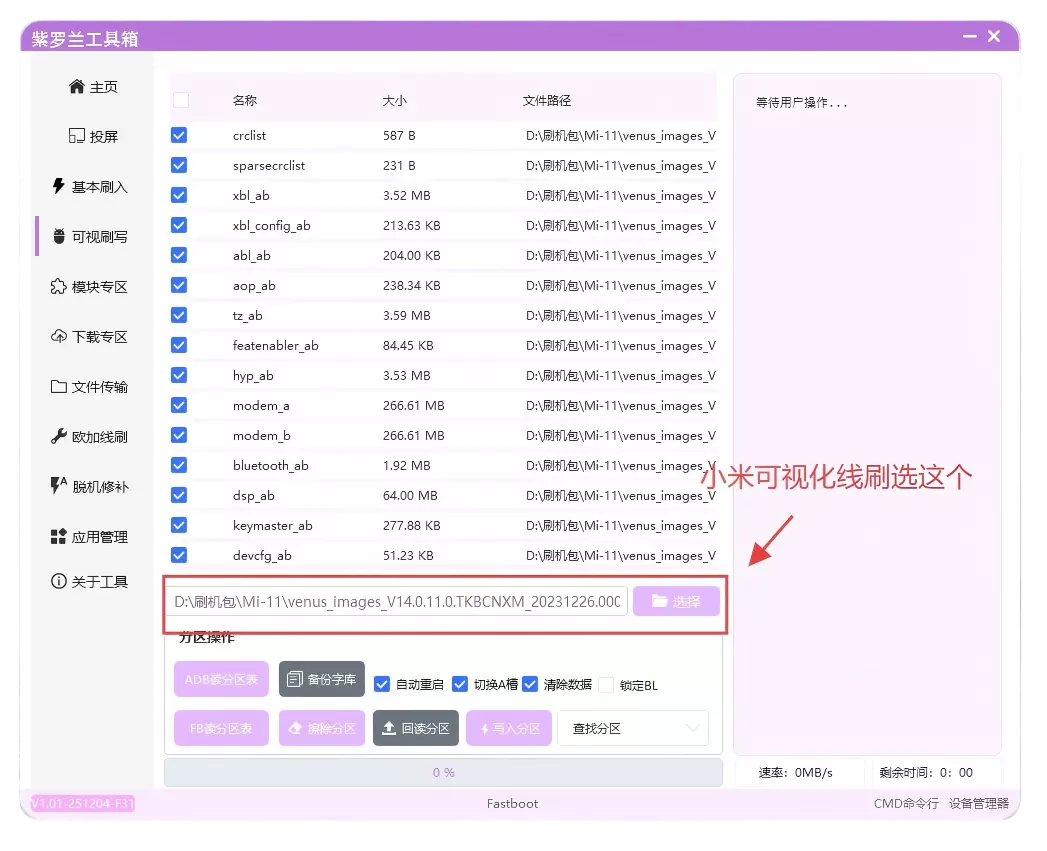
- For Xiaomi flashing, select an official BAT script, usually
flash_all.bat. Traditional and streamlined Slot_A modes are supported. - Read partition table loads A/B slot partitions and supports partition search.
- Write partition can parse Xiaomi BAT scripts and RawProgram files together and shows overall progress.
- Verify every partition name before erasing anything.
Partition operation risk
Writing or erasing the wrong partition can cause data loss or an unbootable device. Back up important partitions and verify the model and file source.