Fix an Incomplete or Misaligned Tool Interface
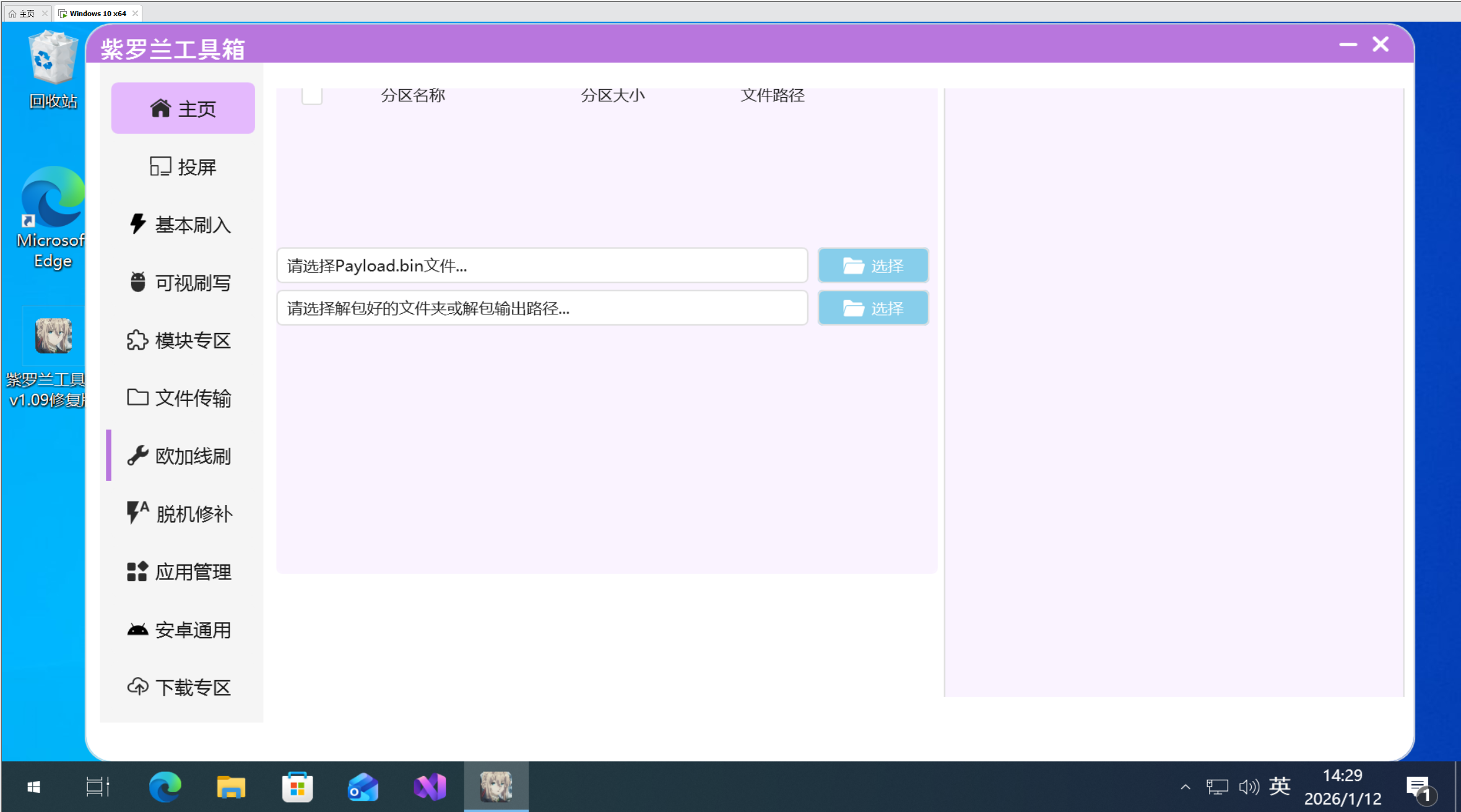
A window that fills the screen, clips controls, or displays a misaligned layout is usually caused by low resolution or high display scaling.
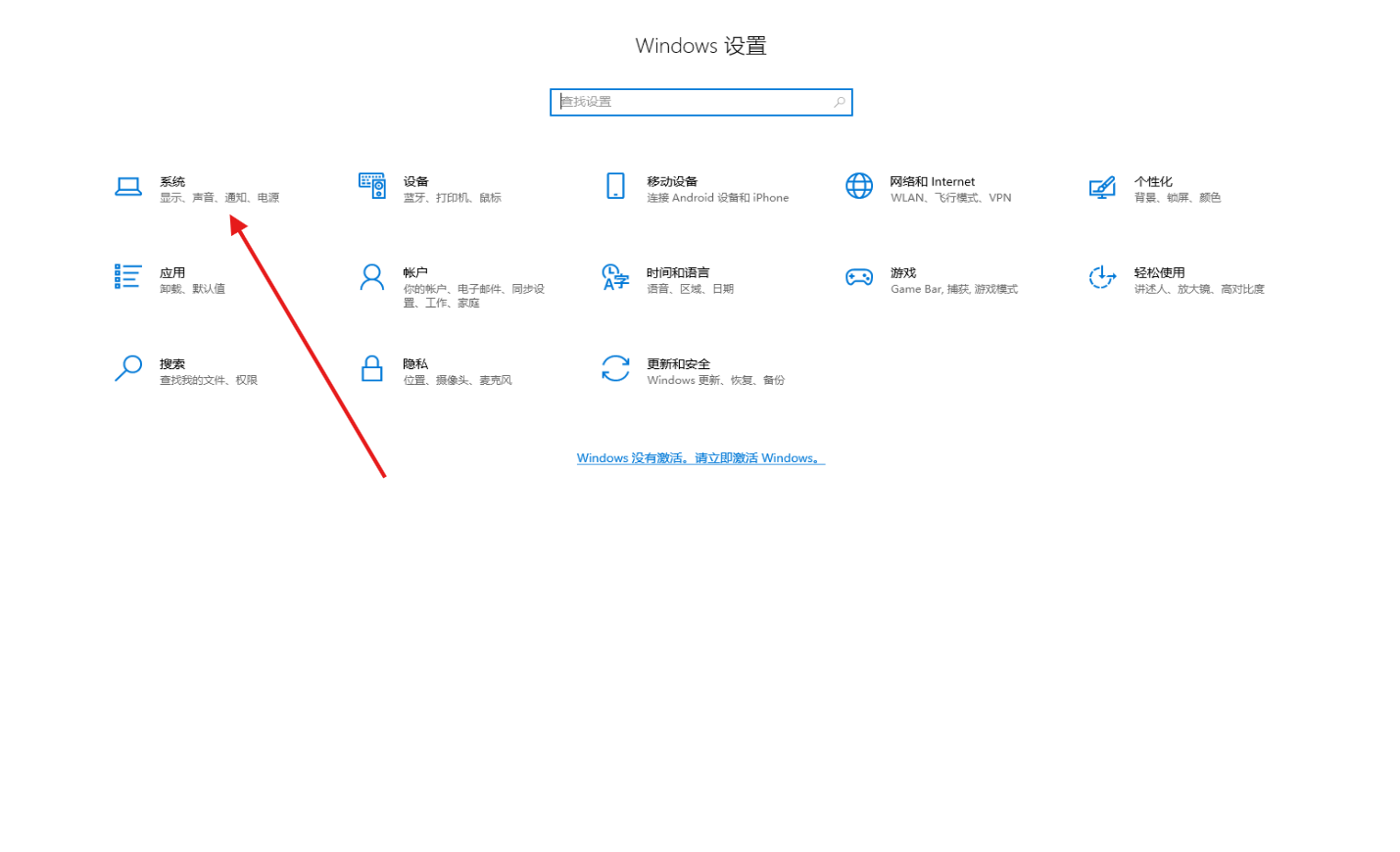
Adjust Windows display settings
- Open Windows Settings → System → Display.
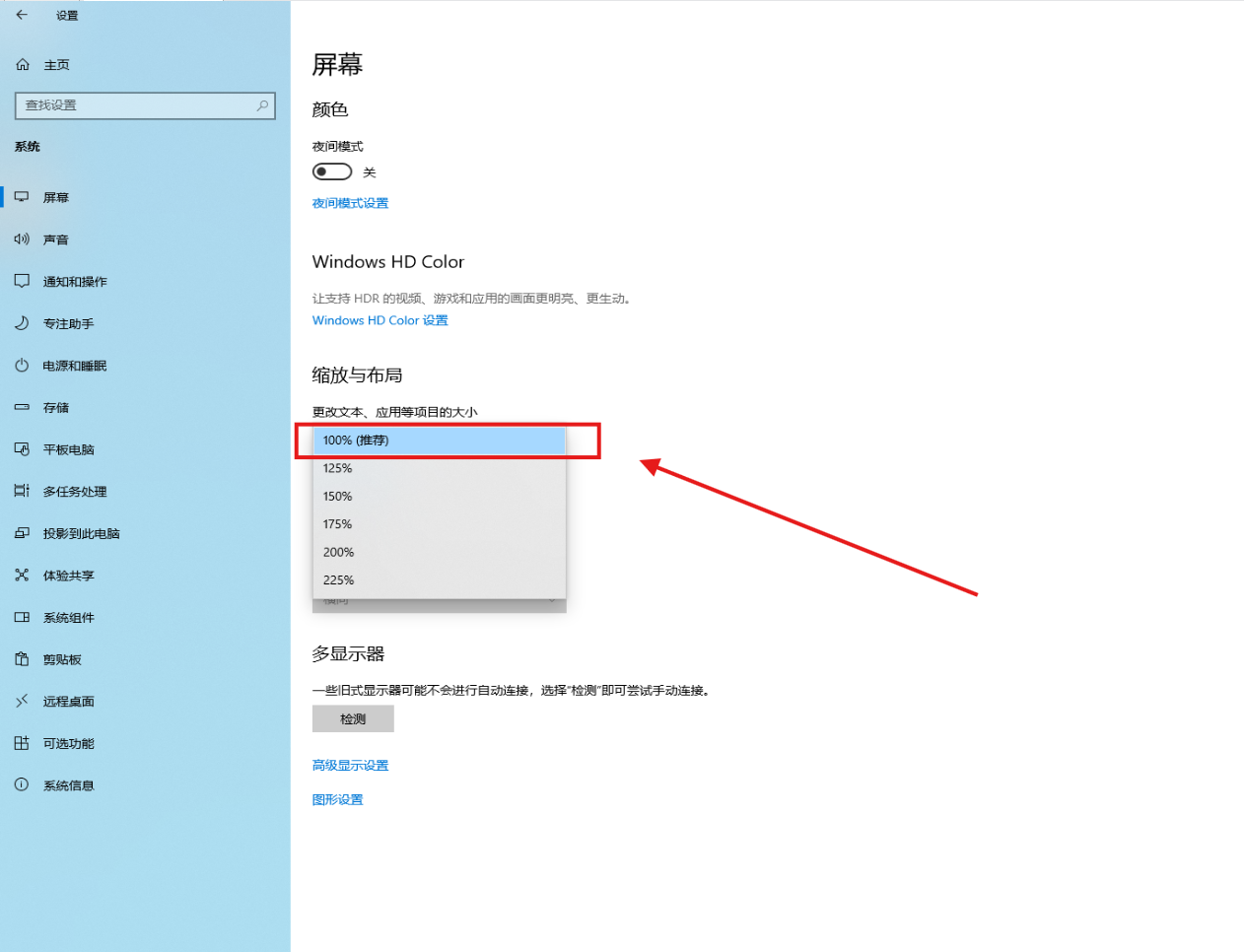
- Set the display resolution to the recommended value or a higher supported value.
- If the highest resolution is already selected, reduce the display scaling percentage.
- Close and reopen Violet ToolBox to verify the layout.
tip
If the interface still looks wrong, sign out of Windows or restart the PC so the new DPI settings apply completely.