OPPO, OnePlus, and Realme Flashing Guide
For supported OPPO, OnePlus, and Realme devices. Verify the model, firmware version, and backup before flashing.
Unpack partitions
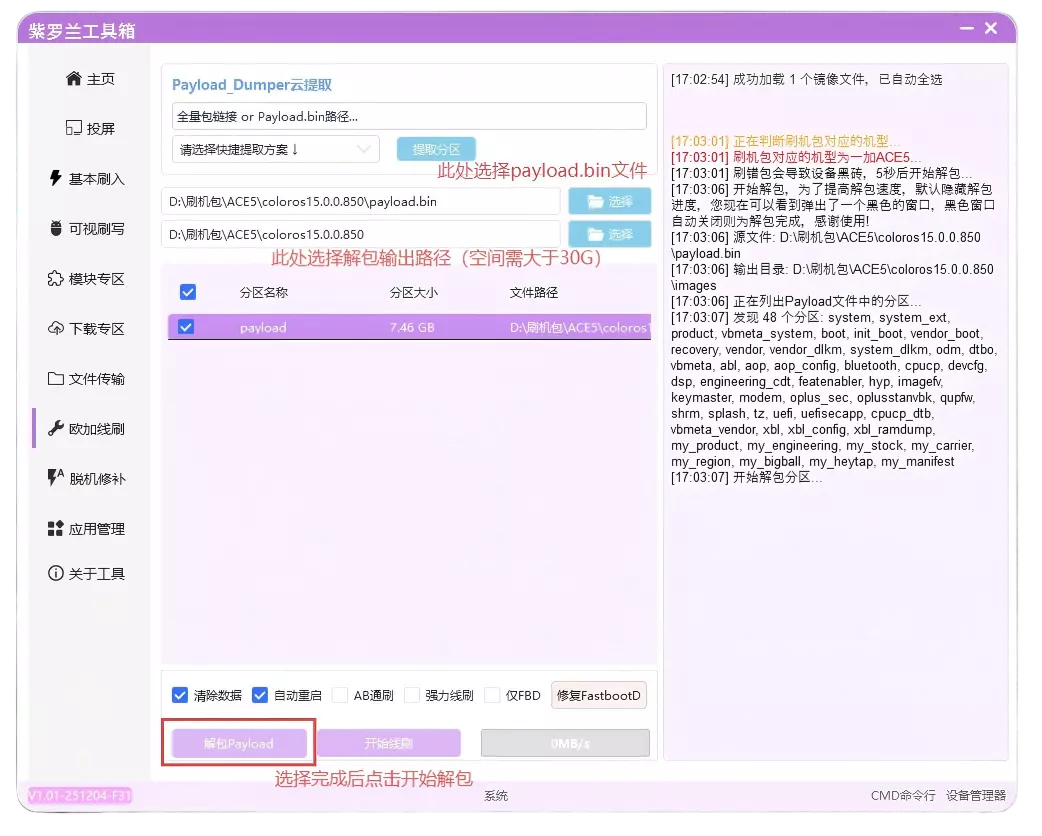
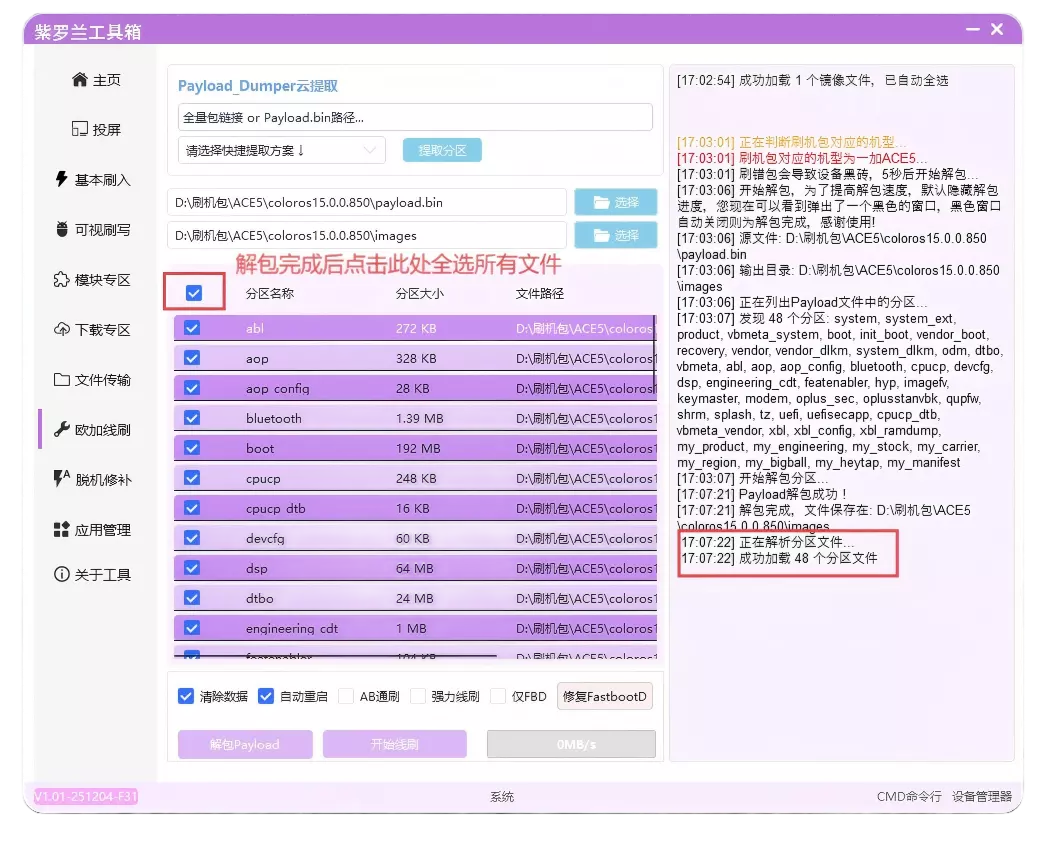
- Before the first flash, unpack Payload.bin to a directory with more than 30GB of free space. A command window during extraction is normal.
- Extraction creates an
imagesfolder. Select that folder when flashing the same package again; repeated extraction is unnecessary.
Flashing operations
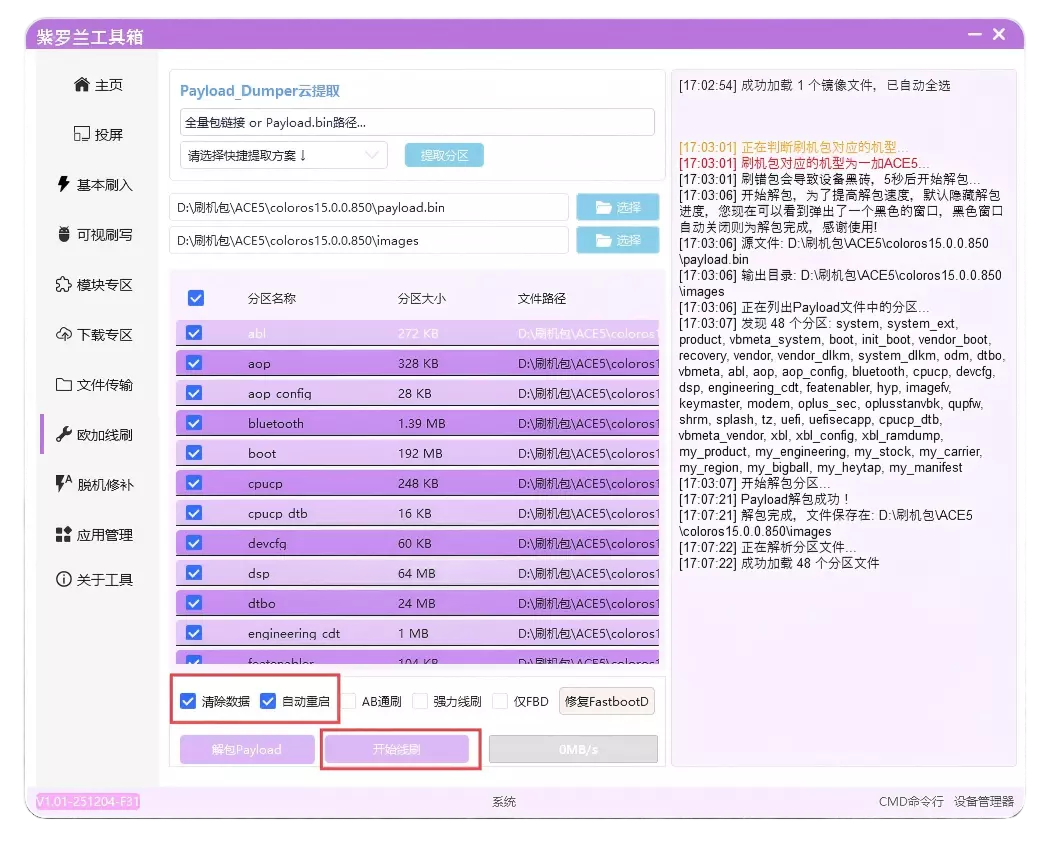
- Regular flash is for upgrades, same-Android-version downgrades, or regional firmware. On MediaTek devices, do not enable wipe data or auto-reboot. Format the data partition manually afterward.
- Force flash repairs Super when partitions beginning with
my_fail. - FBD only is intended for devices missing a Fastboot partition after low-level formatting, storage repair, or motherboard replacement.
- A/B flash supports booting from either slot and handles abnormal partitions.
- If FastbootD is unavailable, repair it using a full OTA that matches the original system version.
Verify before flashing
The package must match the device model. Flashing and formatting can erase all user data, so complete a backup first.