Connect an Android Phone and Enable USB Debugging
Before using Violet ToolBox, enable Developer options and USB debugging, then authorize the computer.
Enable Developer options
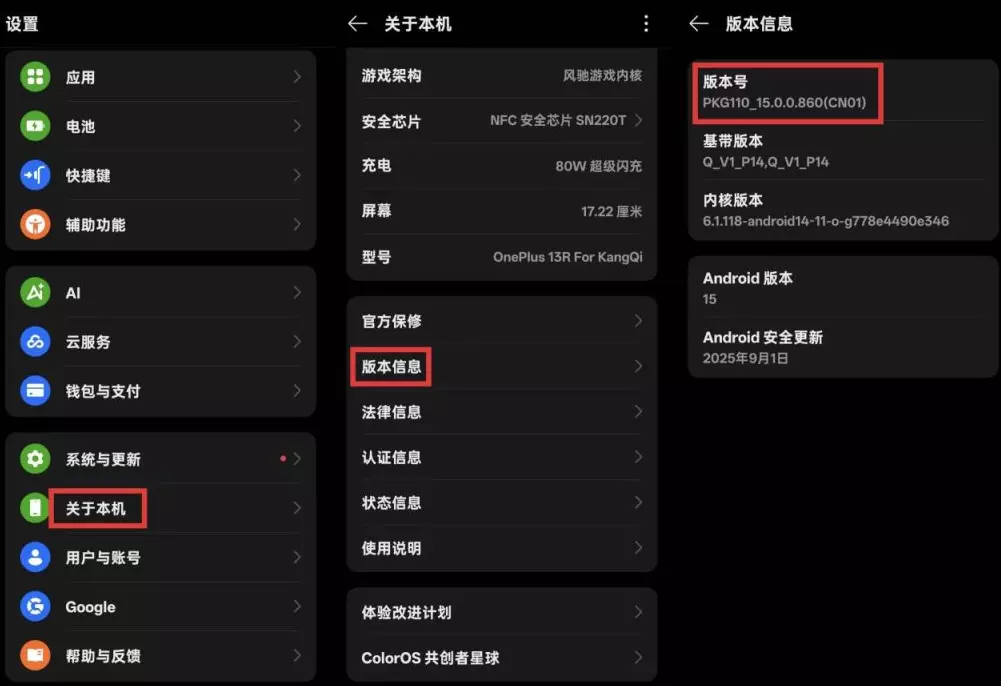
On a OnePlus phone, open Settings → About phone and tap the build number seven times until the Developer options confirmation appears. The flow is similar on most Android devices.
Enable USB debugging and authorize the PC
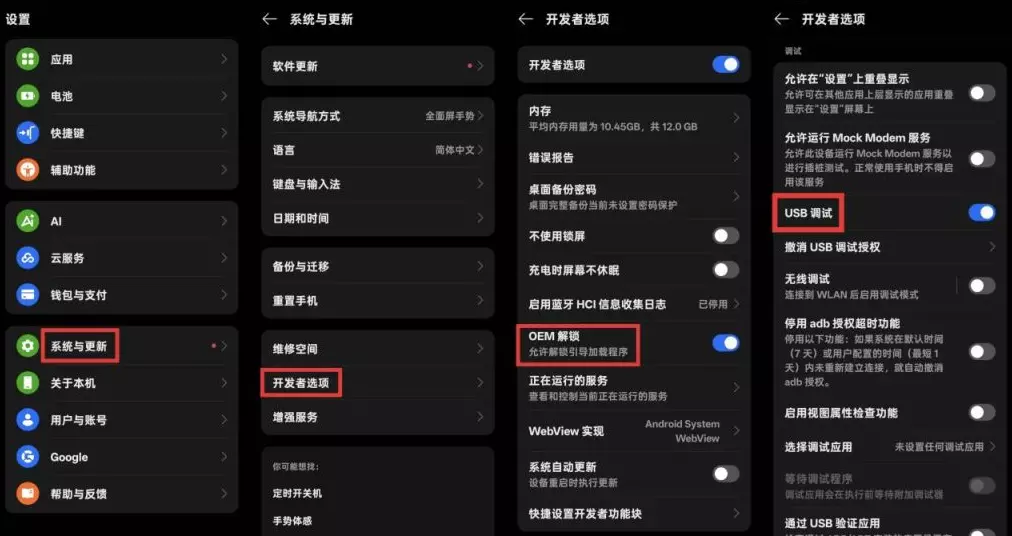
Open System settings → Developer options, enable USB debugging, and tap Allow in the authorization dialog.
No authorization dialog?
Change the USB mode to Charging only or File transfer, then reconnect the cable.