Xiaomi and Fastboot Image Flashing Guide
Use common image shortcuts, Xiaomi flashing scripts, unlock commands, and device repair functions.
Features
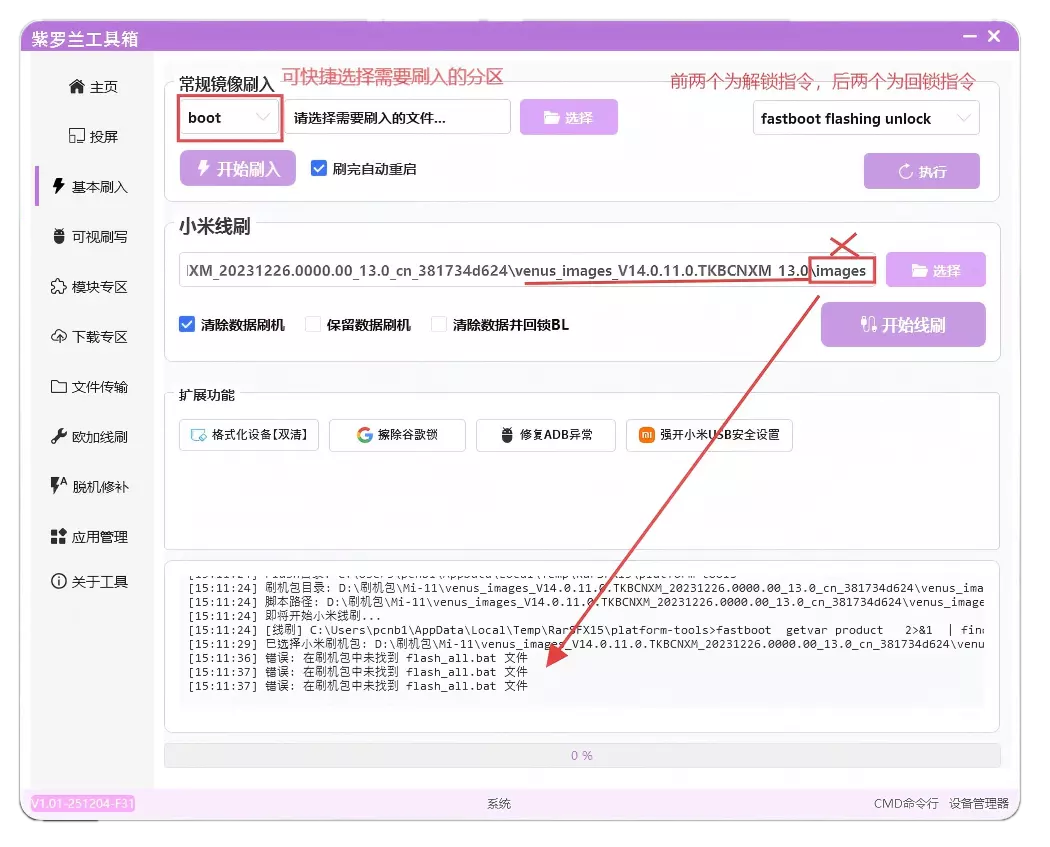
- Regular flash provides shortcuts for common image names and can reboot automatically when finished.
- In the unlock command area, the upper two commands unlock and the lower two relock the bootloader. Verify device status before running either.
- Xiaomi flash parses official fastboot packages and BAT scripts. Select a fully extracted ROM directory.
- Erase FRP can be used in FastbootD when the device cannot install apps.
- Use Fix ADB when the casting log reports an
adb pusherror. - Force Xiaomi USB can enable USB security settings without a SIM card and requires ROOT.
Unlocking and flashing risk
Unlocking, relocking, and partition flashing can erase data or prevent the device from booting. Back up first and verify the model, image, and device state.