Violet ToolBox User Guide
Start with device detection and learn the dashboard, reboot, self-check, slot, and wireless debugging controls.
Device information and shortcuts
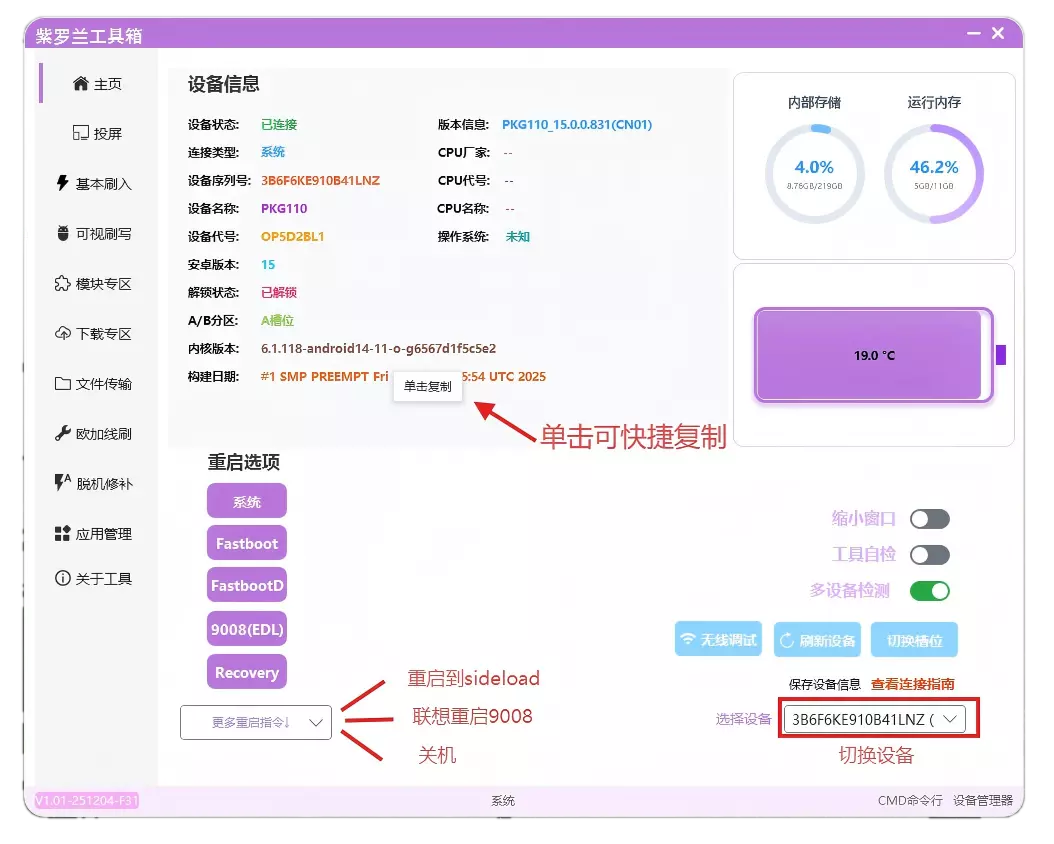
- Detect multiple devices at the same time and click the serial number in the lower-right corner to switch the active device.
- Left-click device information to copy it quickly, or save all device information at once.
- Additional reboot commands include Sideload, Lenovo 9008 mode, and power off.
- Disable dashboard device detection when using Violet ToolBox alongside another flashing tool.
- Tool self-check inspects the runtime environment and common problems.
- Switch slot detects the current boot slot and switches to the other slot.
- Use Refresh device if Fastboot detection becomes stuck.
ADB wireless debugging
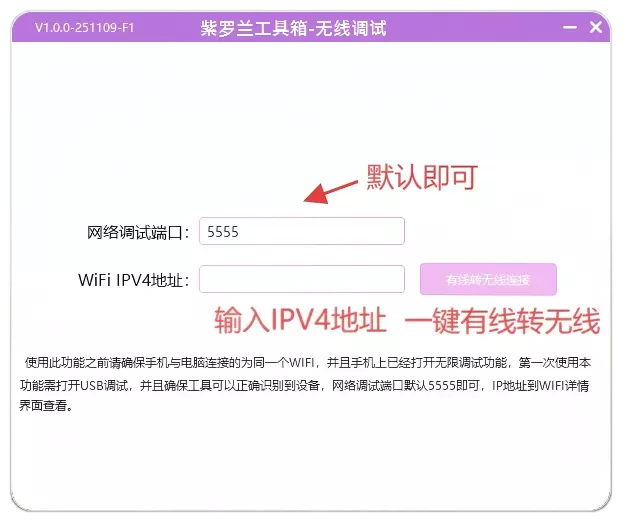
After Violet ToolBox detects the USB device, enter the Wi-Fi IPv4 address on the same network to switch from a wired connection to a wireless one.